Product Updates//Updated /3 min read
Team To-Dos and Notes on Your Dashboard
Your dashboard now has a to-do list and notes your whole team shares. Search finds pages, tasks and documents, on your phone too. Support chat fits a phone screen, and dictation keeps going for as long as you talk. Here is how to use each one.

By Jason Gordon
Founder & CEO, Specloop

This release is about the small things you reach for every day: somewhere to write down what your team needs to remember, a search box that finds what you type, and a chat that works as well on your phone as on your laptop.
A to-do list and notes, shared by your team
Open your dashboard and you'll find a new section above your project's activity: Your team's to-dos and notes.
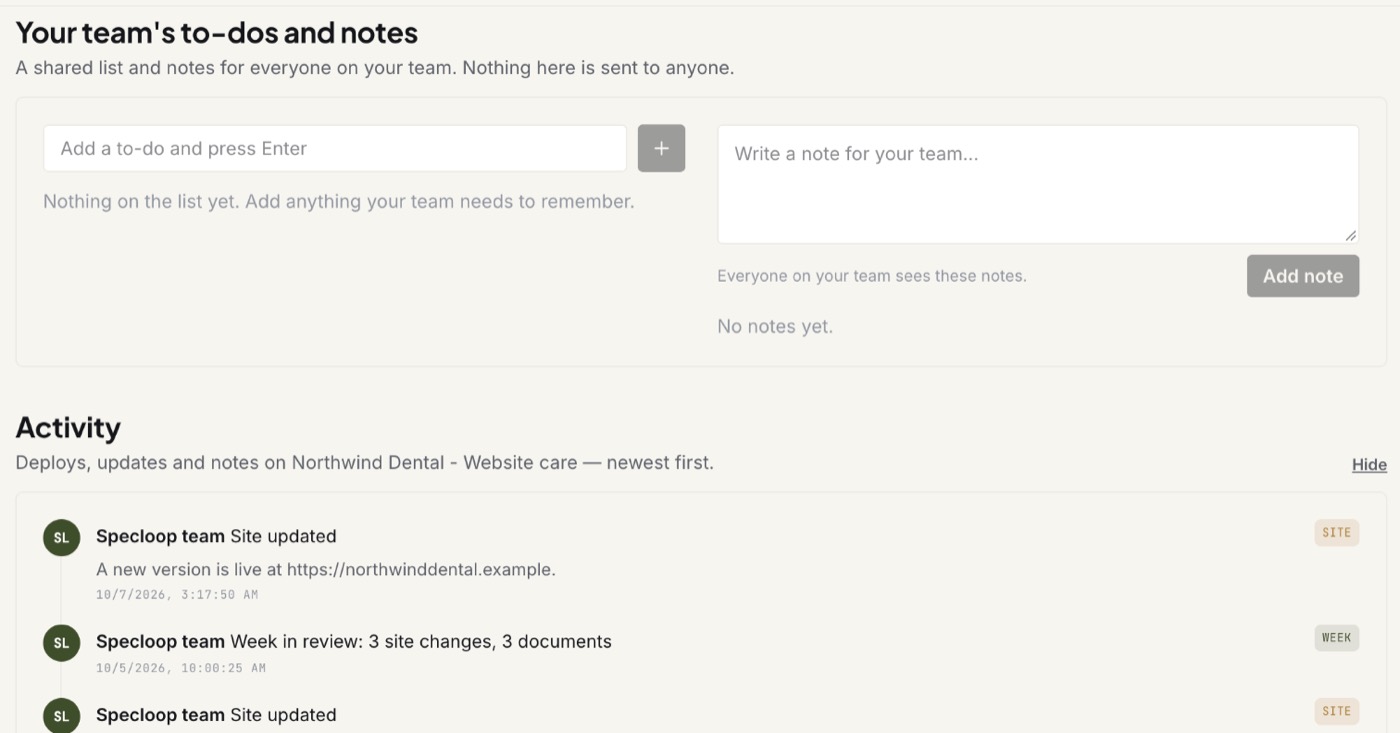
To add a to-do:
- Click Add a to-do and press Enter.
- Type what needs doing.
- Press Enter, or the + button. It's on the list.
- Tick it off when it's done. Anyone on your team can. A finished item stays on the list, struck through, for a day, so everyone can see it was done.
To add a note:
- Click Write a note for your team.
- Write anything longer: what was agreed on a call, the three things to raise at the next meeting.
- Press Add note. It shows who wrote it and when, and everyone on your team sees it.
Nothing in this section sends a notification or an email. It's a shared space for your team, not a message to us. When you want us to act on something, use Support chat for questions, or pin it in Change requests if it's something on your site.
Search that finds things
The search box at the top of every page used to find only project names, so typing almost anything else came back empty. It now finds:
- Pages, by name or by what you're looking for. Type "help" and you get the Help center.
- Tasks, by title, opening the task list for that project.
- Documents, by file name, opening Documents for that project.
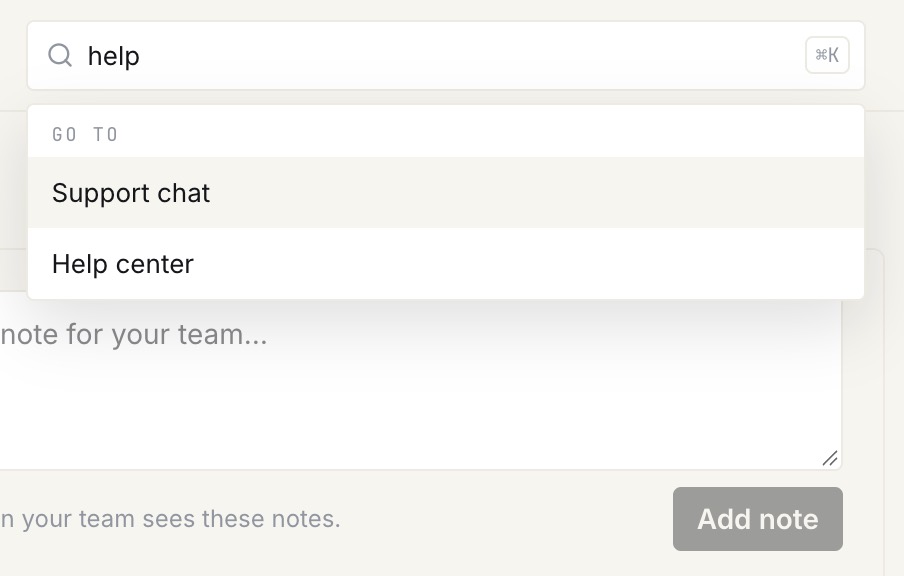
To search, click the box at the top of any page, or press ⌘K on a Mac (Ctrl+K on Windows), and start typing. Pick a result with the mouse, or with the arrow keys and Enter.
On a phone there was no search box at all. There's now a search button at the top of the screen that opens a full-width search.
Support chat on your phone
Support chat was built on a laptop, and it showed. On a phone it now gives the conversation the whole screen:
- The header fits: you see who you're talking to, with the Call button at the top.
- Tap any message to react, reply or copy it, and to edit or delete one of your own. Each option is labelled, so there's nothing to guess.
- Messages use more of the screen, and the extra bars above the conversation are gone.
Dictation that keeps going
The microphone in the message box turns what you say into a written message, with the ums taken out. Longer recordings used to stop after a couple of lines. They now keep going, so you can talk a message through as long as you need to and it all comes out written down.
Activity, open by default
The Activity section at the bottom of your dashboard, with site updates and notes from our team, used to be folded away behind a "Show activity" link. It's now open when you arrive, so you can see what's happened on your project at a glance. "Hide" still folds it away if you'd rather not see it.
Tips
- Keep to-dos short. "Send Anna the new logo" is easier to tick off than a paragraph.
- Use notes for decisions. When your team agrees something, write it down once where everyone will find it.
- Search before you scroll. Page names, task titles and file names are all one search away.
Everything above is live now. Sign in to your portal and it's there: to-dos and notes on your home page, search at the top of every page, and Support chat in the sidebar. More on chat is in our guide to project chat.
Frequently asked
Questions people ask about this
- Everyone in your company's Specloop workspace can see and tick off to-dos and read every note. The Specloop team can see them too, as with everything in your workspace. Nobody else can.
About the author
Jason Gordon
Founder & CEO, Specloop
Jason Gordon is the founder of Specloop, a spec-driven AI development studio that builds production-grade business applications from a complete specification, in weeks, at flat rate, with 100% code ownership. He also builds GeoTest, a free tool that scores how visible a site is to AI search engines. He writes about AI search, spec-driven development, and why most AI builds never reach production.
Follow Jason on LinkedIn →Keep reading
Related posts

Product Updates
Meet the Board, and a Lighter, Friendlier Specloop
Your portal has a new page, the Board: every update, report and walkthrough video from our team in one place, with comments right under each post. The whole portal is lighter and friendlier, your dashboard shows your project plan and your AI search score, and chat now scrolls back through your full history.

Product Updates
One Dashboard That Tells You What Needs You
The dashboard and the Overview page used to say almost the same thing in two places. They are now one full-width page: five headline numbers across the top, one queue of everything waiting on you, your to-dos and notes beside it, and the business numbers underneath. Here is how to use it.

Product Updates
Calls and Conference Calls in Specloop, From Ring to Summary
Every conversation in Specloop has a Call button. It rings everyone in the thread on every device they have open, opens video and screen share in its own tab, translates as people talk, and lets you bring in anyone with a link. When the call ends, the transcript and summary land in the chat. Here is how each part works.

Product Updates
Scheduling, Booking Links and Meeting Rooms, All in the Dashboard
Every member of a Specloop team now has a booking page and a permanent meeting room. Guests pick a time in their own time zone, bookings go on your Google Calendar, your busy times are blocked out, and you can drop your booking link into any email or your signature in one click. Here is how to set it up and what happens after someone books.
Next step
Want a spec for your build?
We write the full specification before any code is generated, then ship in 30–60 days at one flat rate. You own every line.